![HOW TO INSTALL MAC OS X LION on iPHONE 4S [GUIDE]](wp-content/uploads/2011/09/20110922-123316-150x150.jpg)


Subscribe to GDeluxe
Yahoo Advertising
-
What would you like to increase in iPhone 6 (iPhone Air)?
HOW TO MAKE BEAUTIFUL LOCKSCREEN ON IPAD 3
Advertisements
Posted date:
March 6, 2012 |

Do you have cool iPad 3 or iPad 2? iPad has standard LOCKSCREEN. But we want exclusive background and LOCKSCREEN. This complete guide: “How to make exclusive beautiful Locksreen on your iPad 2″
Original:
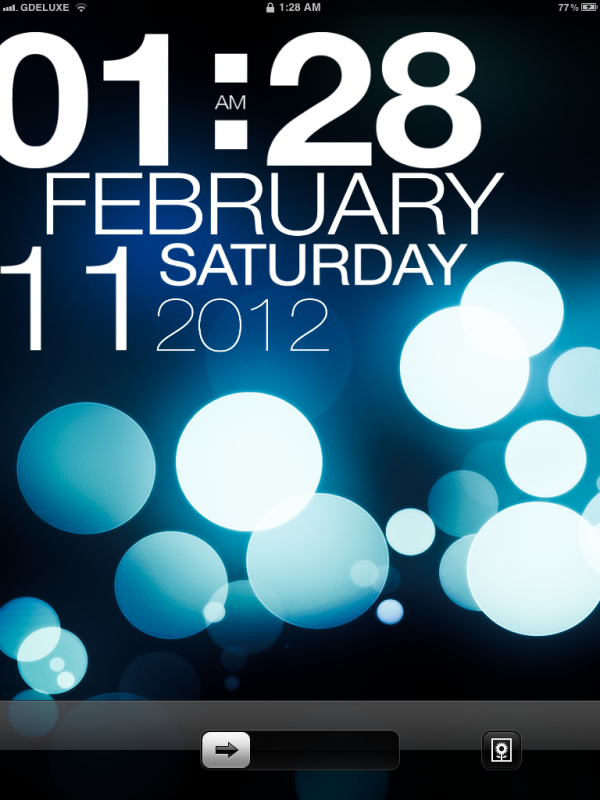
0) Jailbreak and install Cydia
1) Install “WinterBoard”
2) Install “Lockscreen Clock Hide”
3) Remove “Slide to Unlock”
4) Download TYPOPAD from GD. ()
You will need to first jailbreak, then install WinterBoard, and then add additional applications in order to install this theme. I will guide you through the process.
Part 0: Jailbreak and Install Cydia
-Guide about -> HOW TO JAILBREAK IPAD 3, 2, 1
Part 1: Install Winterboard
This is the second part. You will now be installing WinterBoard. WinterBoard is an application that allows you to customize the design of your iPhone and iPod Touch. It’s created by Saurik.

1. Tap the Cydia icon to launch Cydia.
2. Tap the Search icon on the bottom right and type in WinterBoard in the top search box.
3. Once you see WinterBoard in your search results, tap it.

4. Once you get to the WinterBoard package, tap the Install button on the top right.

5. Tap the confirm button on the top right to confirm your install.

6. Once WinterBoard is installed, you’ll need to tap the “Reboot Device” button to reboot your device.

7. Congratulations, WinterBoard is now installed on your device. You should see the following icon labelled WinterBoard on your device once it restarts.
Part 2: How to install “Lockscreen Clock Hide”
Lockscreen Clock Hide is a mod that removes the time and date from your lockscreen leaving you with just a blank lockscreen. What is cool, is that it replaces the little lock icon that is normally on your status bar when your iPhone or iPod Touch is locked with the time! So, you don’t actually completely lose the time…it just gets moved to your status bar!
Tap the Cydia icon to launch Cydia.
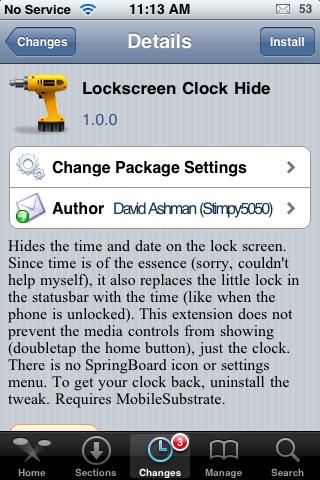
Tap on the Install button and then you will get the following screen with the app data size and amount of the data which would be downloaded.
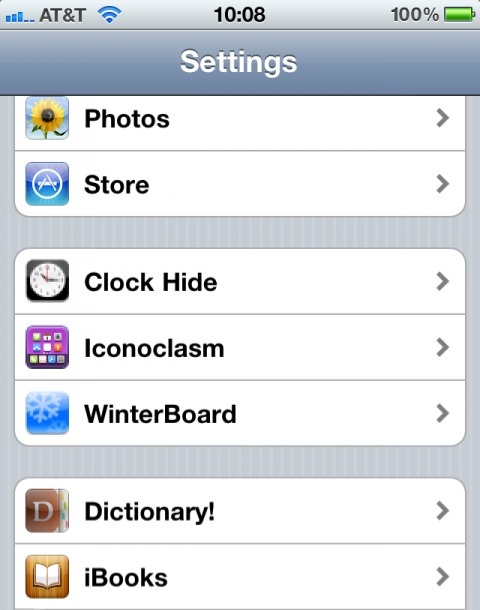
Once the device is completely rebooted you will have to tap on the Settings Icon and then tap on “LockScreen Clock Hide” option
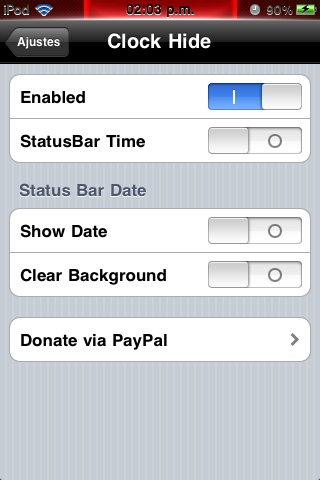
Part 3: How to remove “Slide to Unlock”

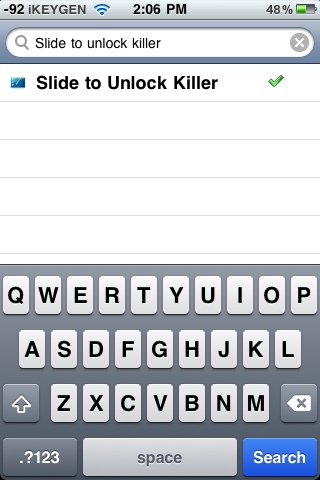
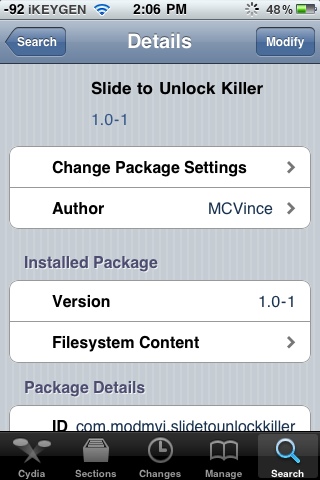
Install this App.
Part 4: Download and install TypoPad
1. Open up your SSH client (i-FunBox on Windows or CyberDuck on Mac OS X)
2. Navigate to ../Root/private/var/stash/Themes/
3. Copy the theme folder into that location
4. Go to “Settings” + “WinterBoard” + “Themes” and select “TypoPad”, “Slide to Unlock Killer” and go back and click “Respring”
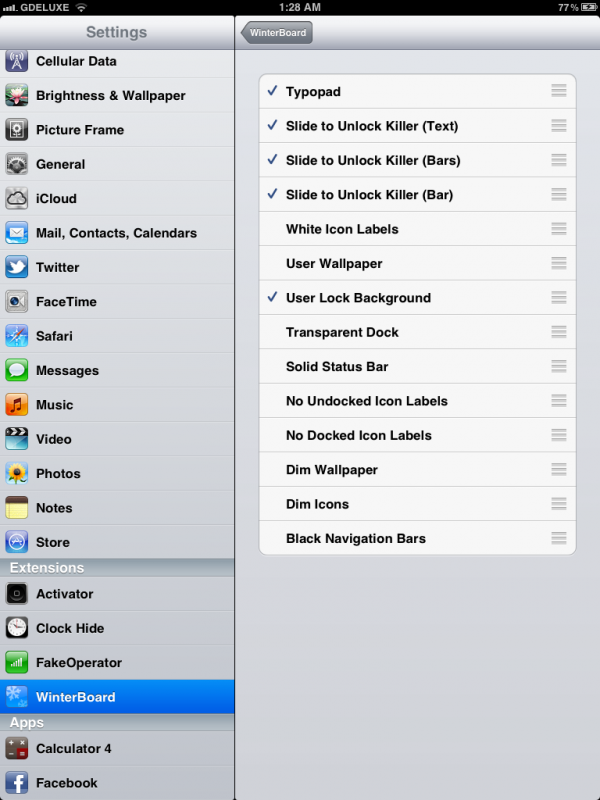
Done.
P.S.
4 HOUR TIME
1. Open “functions.js” and go to the second line:
“AM_PM = true;”
Change it to false.
2. Respring and done!
CHANGE TO CUSTOM BACKGROUND (iOS5)
1. Choose your background like you normally would
(In the camera or settings app under the “wallpaper setting”)
2. Respring and done!
BUG FIXES AND ERRORS
1. If your “Slide to Unlock Killer” is still there, go into the theme folder and navigate to:
Typophone 4\Bundles\com.apple.springboard\en.lproj\
There is a folder, and inside it is another springboard.strings file. Replace the one in
\en.lproj\ with this file.
Done!
We Recommend:
Related Posts:
CYDIA APPs, CYDIA IPAD 3, iPAD 3, IPAD 3 CYDIA
Recent Posts:
- Dropbox Login, Page, History, Password, Problems.
- WHAT WOULD YOU LIKE TO INCREASE IN IPHONE 6?
- Untethered Jailbreak 7.1 for iPhone 4S, iPhone 4. Progress.
- Microsoft Office For iPad, iPhone (iOS 7) available for download.
- iPhone 6 Features. Last Update.
- iPhone Generation
- Apple sold 500 mln iPhone 5S - iPhone 2G
- IPHONE 6 RELEASE DATE IN USA, CANADA, UK, AUSTRALIA. CONFIRMED
- When is Official Release Date for Mac OS 11 (OS XI).
- Bad iOS 7.1 Battery Life, How To Fix
Author on G+:
