

Subscribe to GDeluxe
Yahoo Advertising
-
What would you like to increase in iPhone 6 (iPhone Air)?
INSTALL iPHONE THEMES on iPHONE 4, 3GS, 3G
Advertisements
Posted date:
April 27, 2011 |
All of the themes we feature here at iPhone Theme Gallery require your iPhone to be jailbroken.
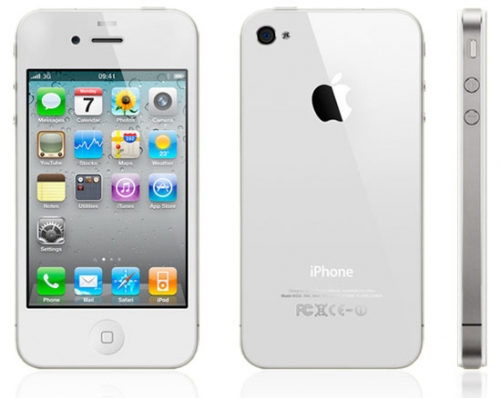
Before you start downloading any of the themes we feature, please ensure the following is available to you on your iPhone and computer:
Cydia
Winterboard
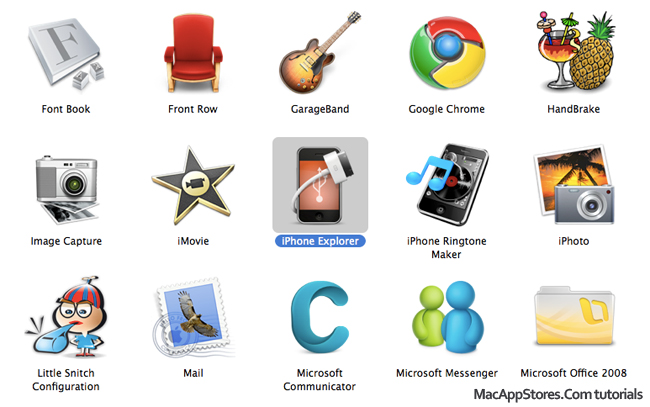
iPhone Explorer: LINK: for MAC OS X or LINK: for WINDOWS
1. OPEN iPHONE EXPLORER:
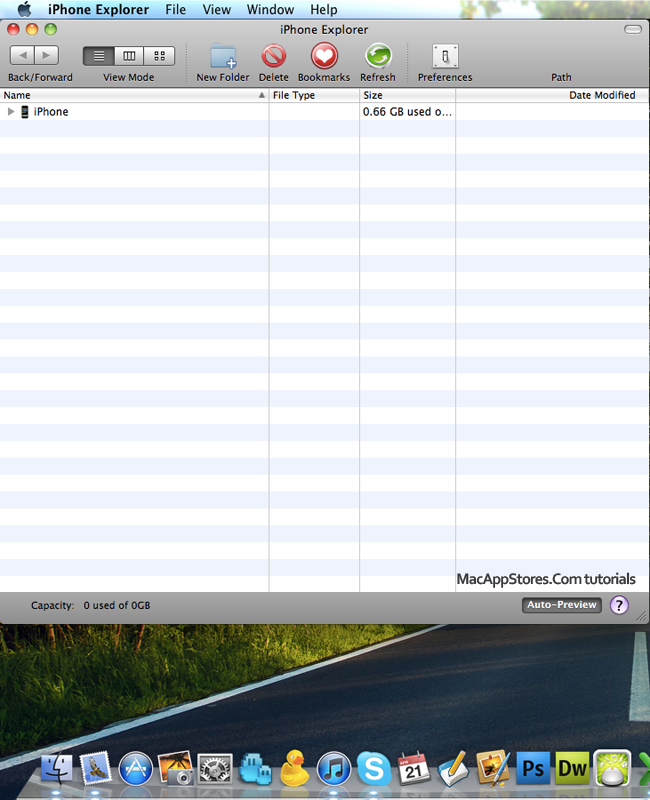
2. Connect iPhone with Mac or PC:
2. Connect iPhone with Mac or PC:
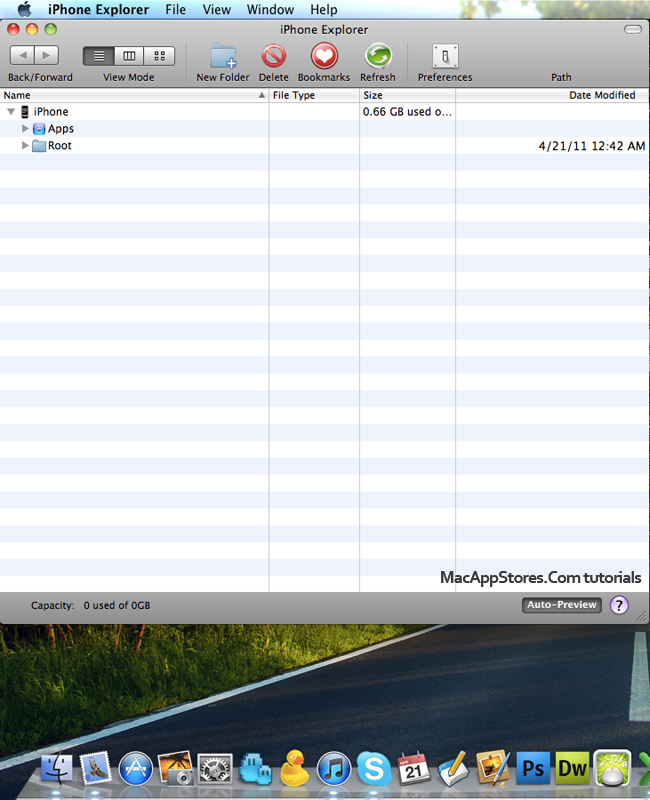
3. Search iPhone and click on iPhone and Root:
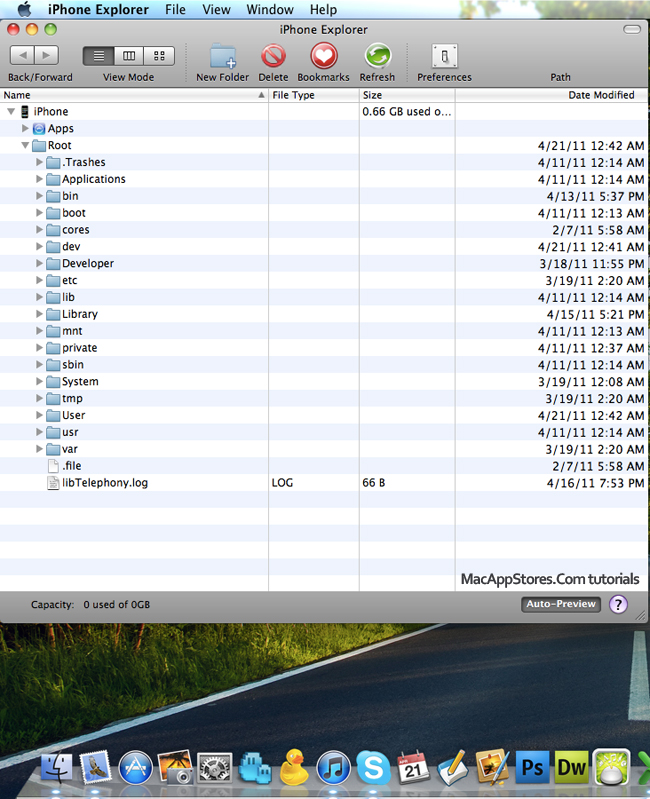
4. Click on Library:
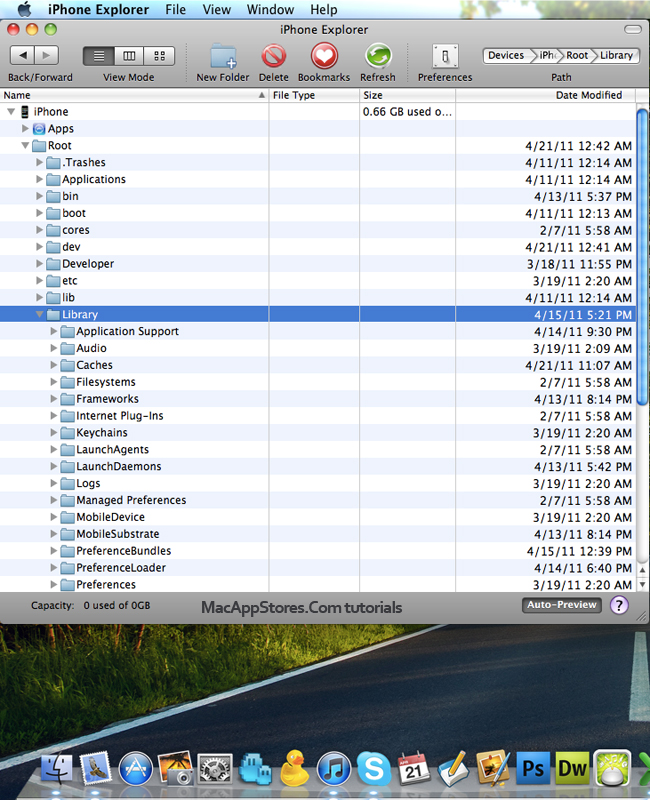
5. Click on Themes:
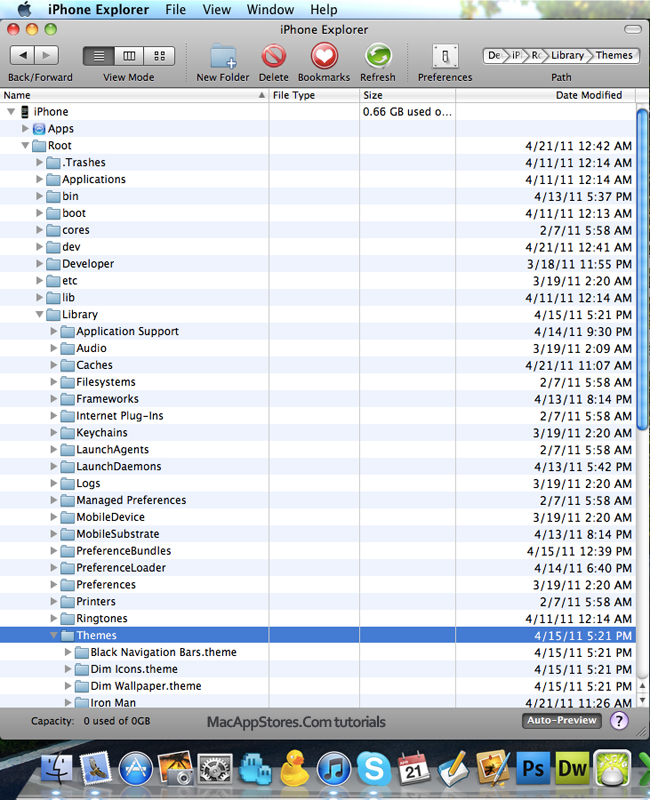
6. Open Themes:
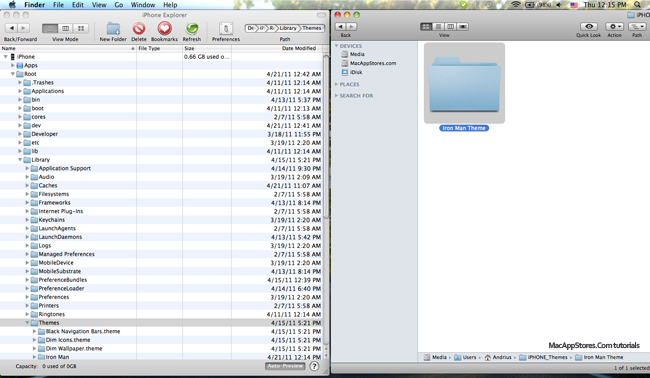
7. Search new downloaded theme and copy in directory: Themes:
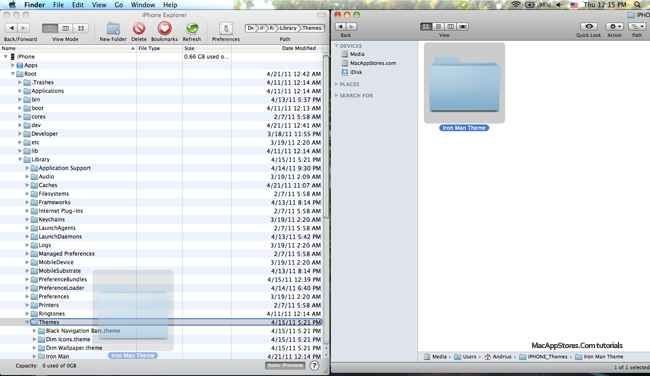
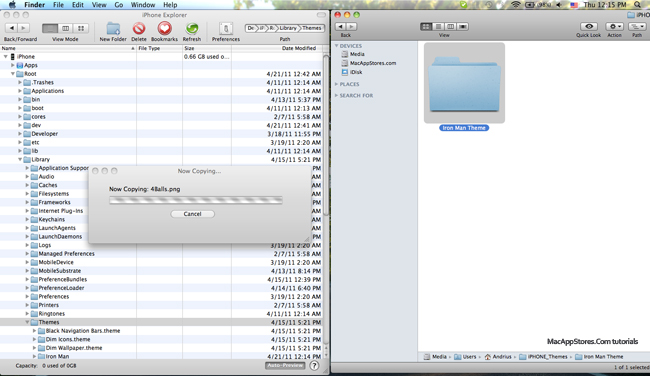
To activate the theme you will need to open up Winterboard, and then look for your theme’s name.
Once you select your theme, just exit the app and the springboard will restart, and voila, your new theme will be up!
We Recommend:
Related Posts:
INSTALL GUIDE, iPHONE 4 GUIDE, iPHONE GUIDE, THEME GUIDE
Recent Posts:
- iOS 7.1.1 Download Links For iPhone, iPad, iPod touch. [Soon]
- iPhone 6 4.7-inch Display, Camera, Touch ID ... new price
- iPhone 6: Smaller Unibody With 4.5-inch Display!
- iPhone 6 Status
- Turn On Unlock Sound iOS 7 On iPhone. You Can Do It Now.
- Does iPad Air 2 Have Touch ID?
- Bad iPhone Battery Life with Facebook App? How To Fix!
- When will we see iOS 8 on iPhone 6 (iPhone Air)?
- iPhone 6 Price Without Contract In Usa, Canada.
- WWDC 2014. What's New? Event Time Announcer
Author on G+:
